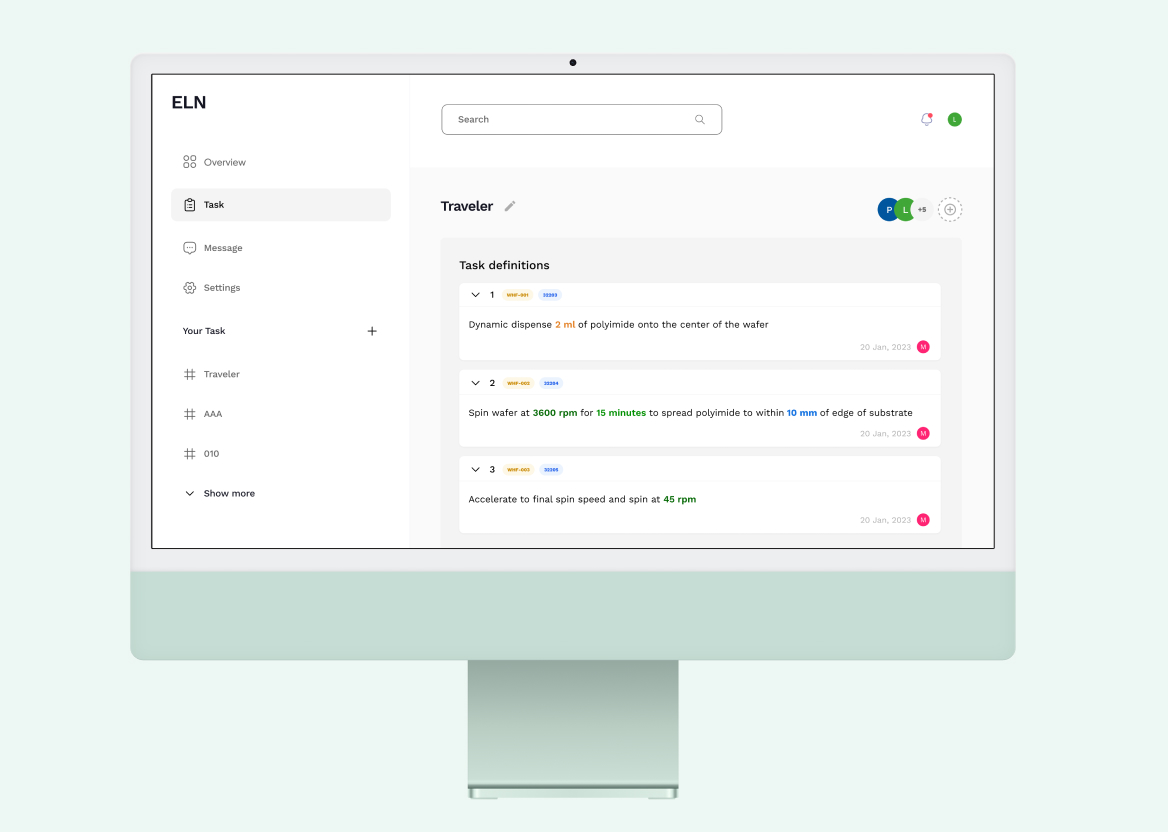
Sass Product design

Optimizing Textarea Input for Efficient Lab Task Parameter Management

Design an electronic lab notebook software for a biotech startup, focusing on easy parameter input to streamline and share lab workflows efficiently
Client:
Biotech startup
Role:
Product designer
Responsibilities:
Research, Ideation, Visual design, Interaction
Tool:
Figma
Introduction

Background

As the client, a biotech startup, expands, it increasingly relies on structured workflows. This necessitates an electronic lab notebook software that allows human technicians and robotic systems to seamlessly interact with task definitions. It must facilitate precise parameter integration and manipulation within textual task descriptions for effective execution. Due to confidentiality, the company name won’t be disclosed.

Problem

The biotech startup's current reliance on paper-based methods hampers efficiency in dynamic lab environments. Many existing software solutions fall short in effective text and precise parameter handling in task definitions , compromising data entry accuracy and overall workflow effectiveness.

Goal

The goal was to design an electronic lab notebook software that integrates parameters within task definitions, ensuring ease of use and accuracy for humans and machines and optimizing laboratory workflow efficiency.
Empathize

Survey

I conducted a survey with 40 potential users to assess the demand for an enterprise-grade Electronic Lab Notebook software, aiming to understand specific needs and preferences

Key Findings:

The majority of participants currently record lab tasks on paper
The top three desired features for ELN software are creating rich or plain text entries, sharing notebooks or data with members, and attaching data files
Most participants have prior experience using Electronic Lab Notebook software
Participants cited maintaining complete lab records, archiving lab tasks long-term, and sharing with collaborators as top ELN software benefits from their past experience
Issues with editing and compatibility with specific data types and formats were identified as the main limitations of ELN software from past experience
All respondents agreed that the company should provide ELN software

Product Opportunities from the findings:

Based on the survey findings, there are significant opportunities to develop ELN software that emphasizes ease of use, compatibility with a wide range of data types and formats, and robust editing capabilities. By addressing these key user needs, the software can enhance productivity and streamline laboratory workflows.This project will first focus on parameter input, ensuring efficient and accurate data entry as a foundational feature of the software.

Comparative Assessment

To gather more inspiration for the design,  I conducted a comparative assessment of several prominent platforms known for their text input capabilities, including Notion, Asana, and Discord. I thoroughly analyzed their design elements, functionalities, and overall user experience to identify successful features that could be integrated and adapted to improve our own design.
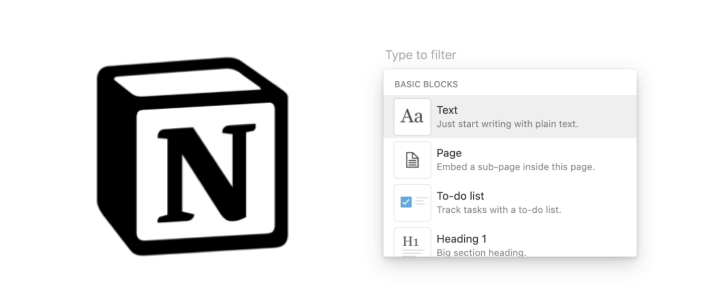
Notion

Notion's text input features excel with its versatile dropdown menus, enabling users to organize content dynamically and efficiently. This strength in structured data entry makes it highly effective for detailed content management.

Asana

Asana's rich text formatting capabilities stand out, allowing users to customize task descriptions and comments with ease. This feature enhances clarity and organization.

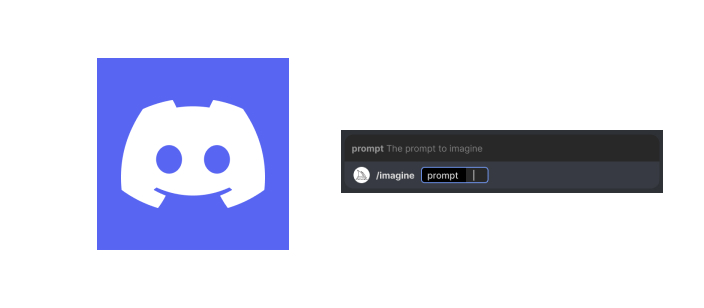
Discord

Discord's Slash commands offer a streamlined method for executing actions quickly without navigating complex menus. Additionally, its input box promotes structured data entry, ensuring consistency and standardization in user-provided information.
Define

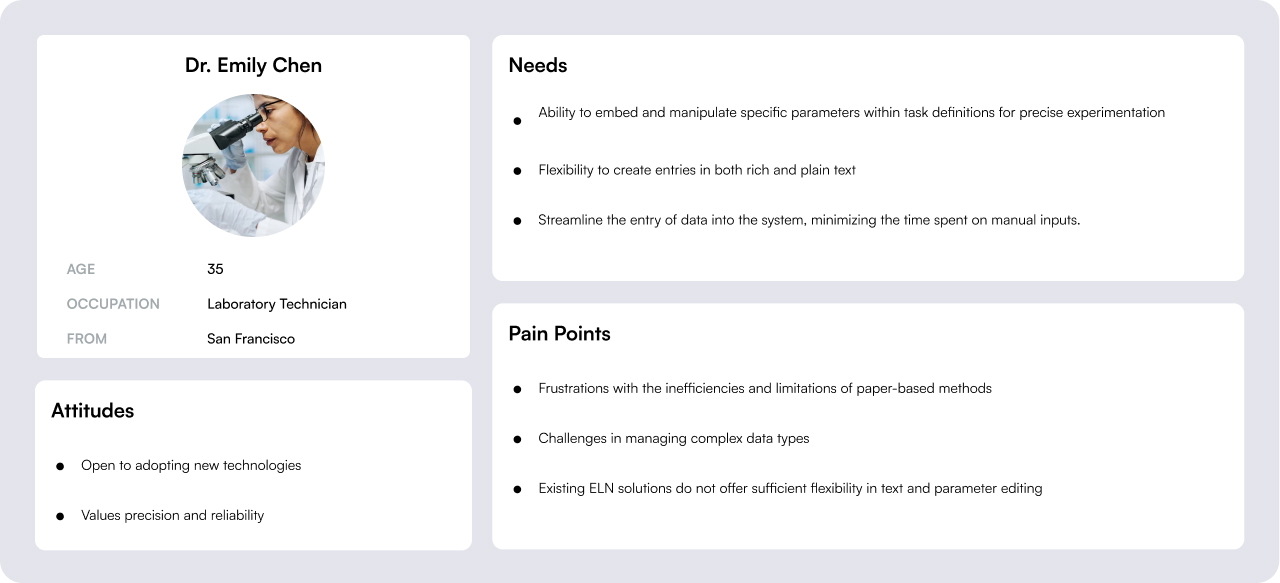
Primary user

Based on our survey of 40 potential users, the primary user of our electronic lab notebook software is a laboratory technician who values ease of use, robust editing capabilities, and compatibility with a wide range of data types and formats to enhance productivity and streamline lab workflows.
Ideate

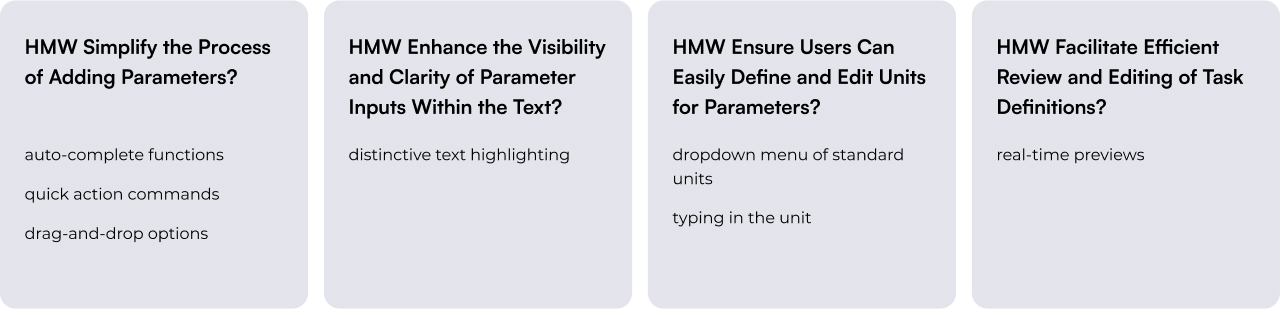
How Might We

Design Principle

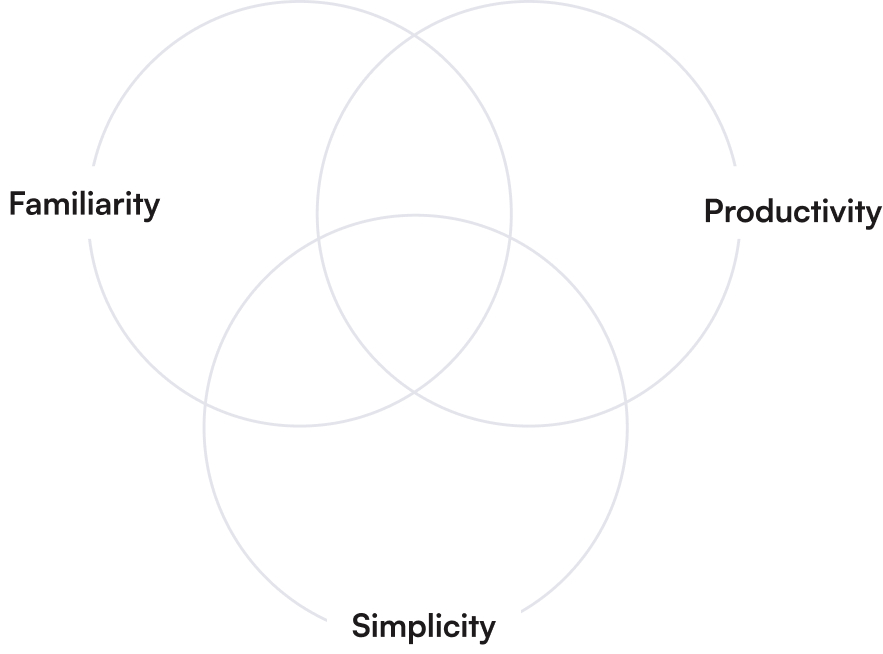
I have identified three key design principles to guide this project, based on insights from my research. These principles will ensure the development moves in the right direction and meets user needs effectively.

Familiarity

Use established design patterns to align with users' mental models. This reduces the learning curve and increases user comfort.

Productivity

Enhance productivity by reducing cognitive load and physical effort required to input and manage task parameters.

Simplicity

Focus on a clean layout with clear language; highlight key elements while keeping secondary details unobtrusive.
Prototype

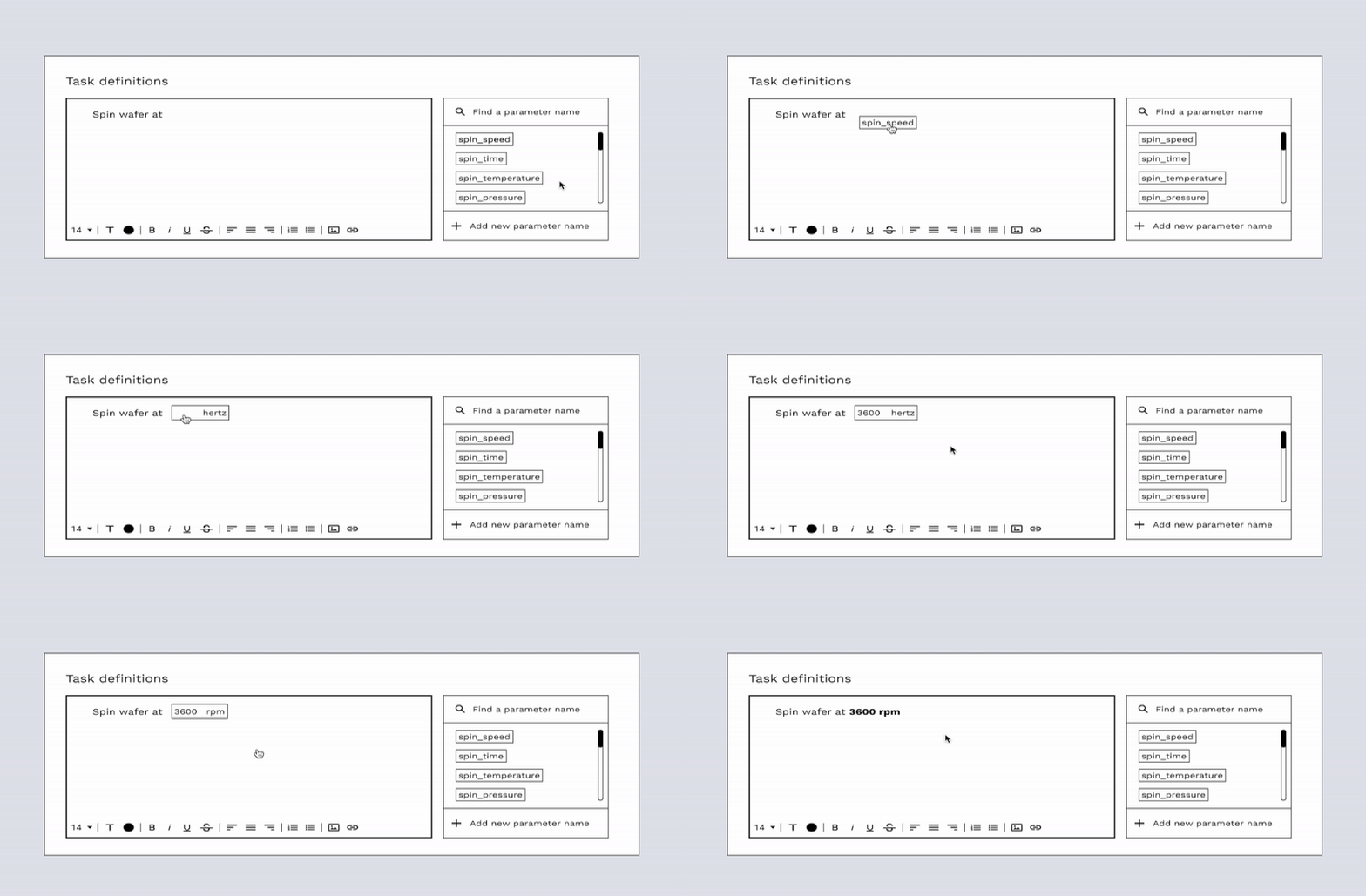
Solution 1 : Drag-and-Drop Parameter Blocks

parameters are present as draggable blocks that users can  drag blocks into the text area of the task definitions.

Drag-and-Drop Mechanism:

Users can drag parameter blocks from the sidebar and drop them into the text area at the desired location.

Sidebar with Parameter Blocks:

Contains predefined parameter blocks representing common parameters used in tasks,

Edit Parameter:

Once dropped, users can configure its value and unit via inputs.

Distinct Parameter Display

Shows parameters within the task description, making them distinguishable from regular text.

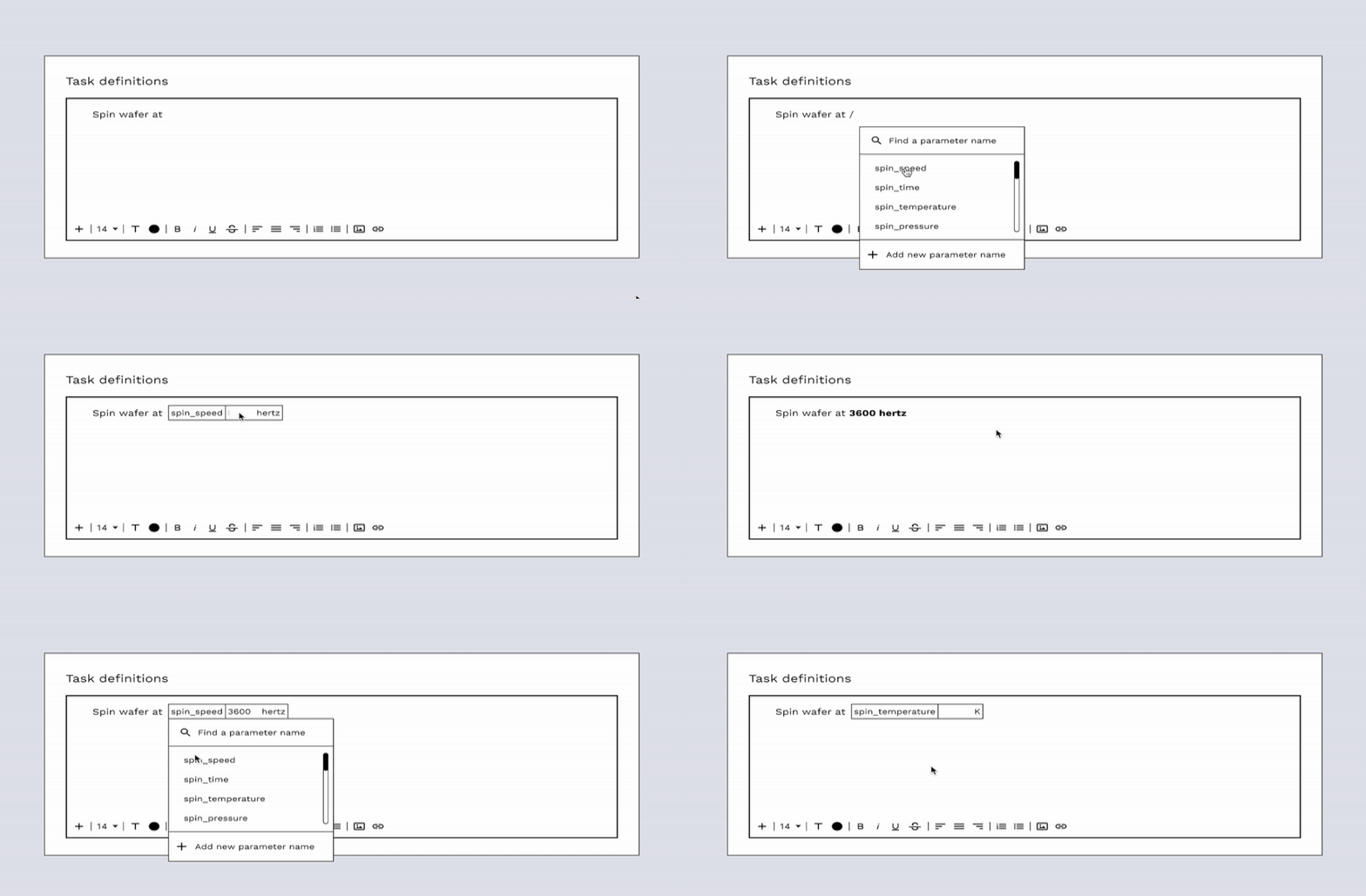
Solution 2: Inline '/' Parameter Invocation

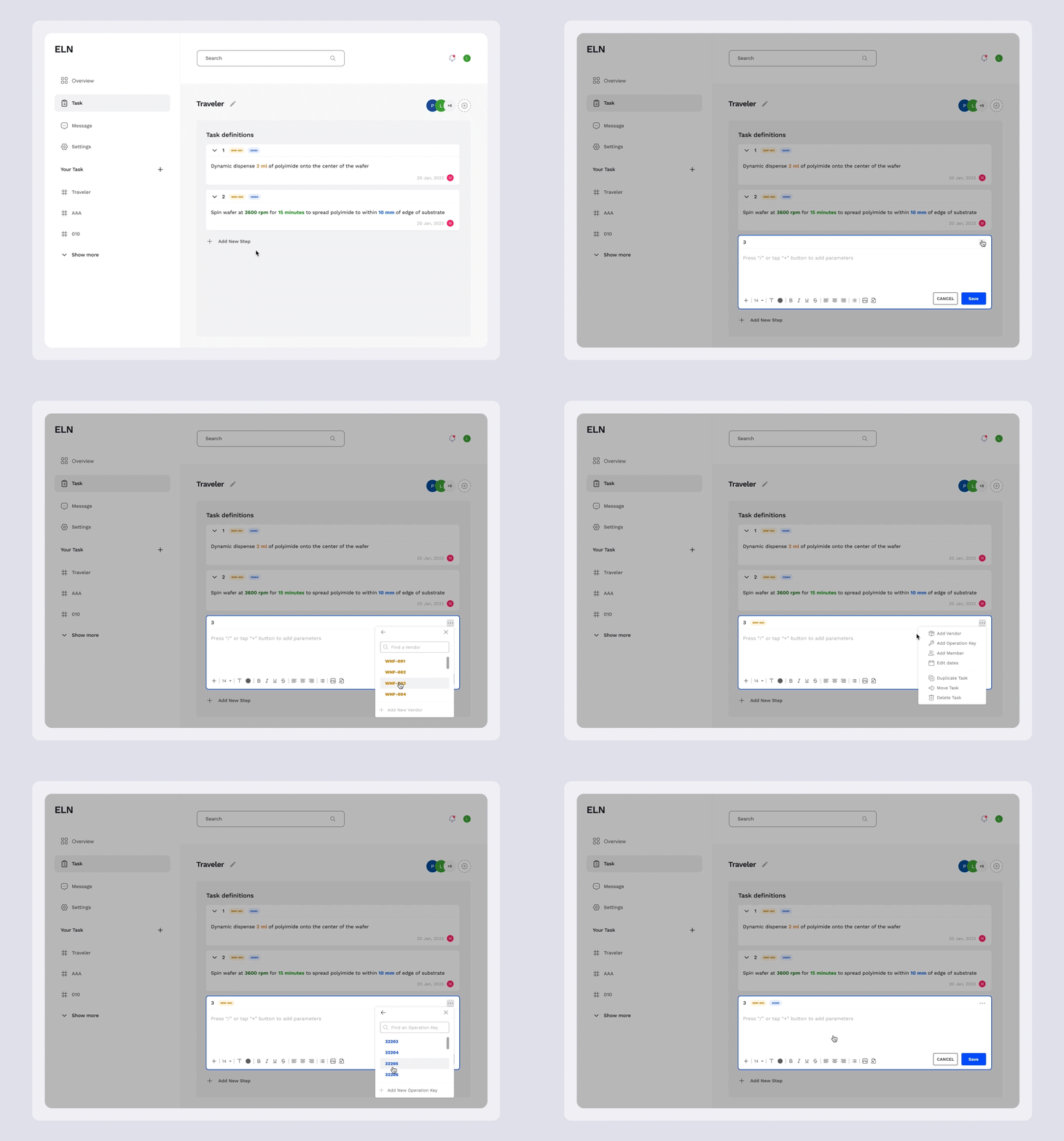
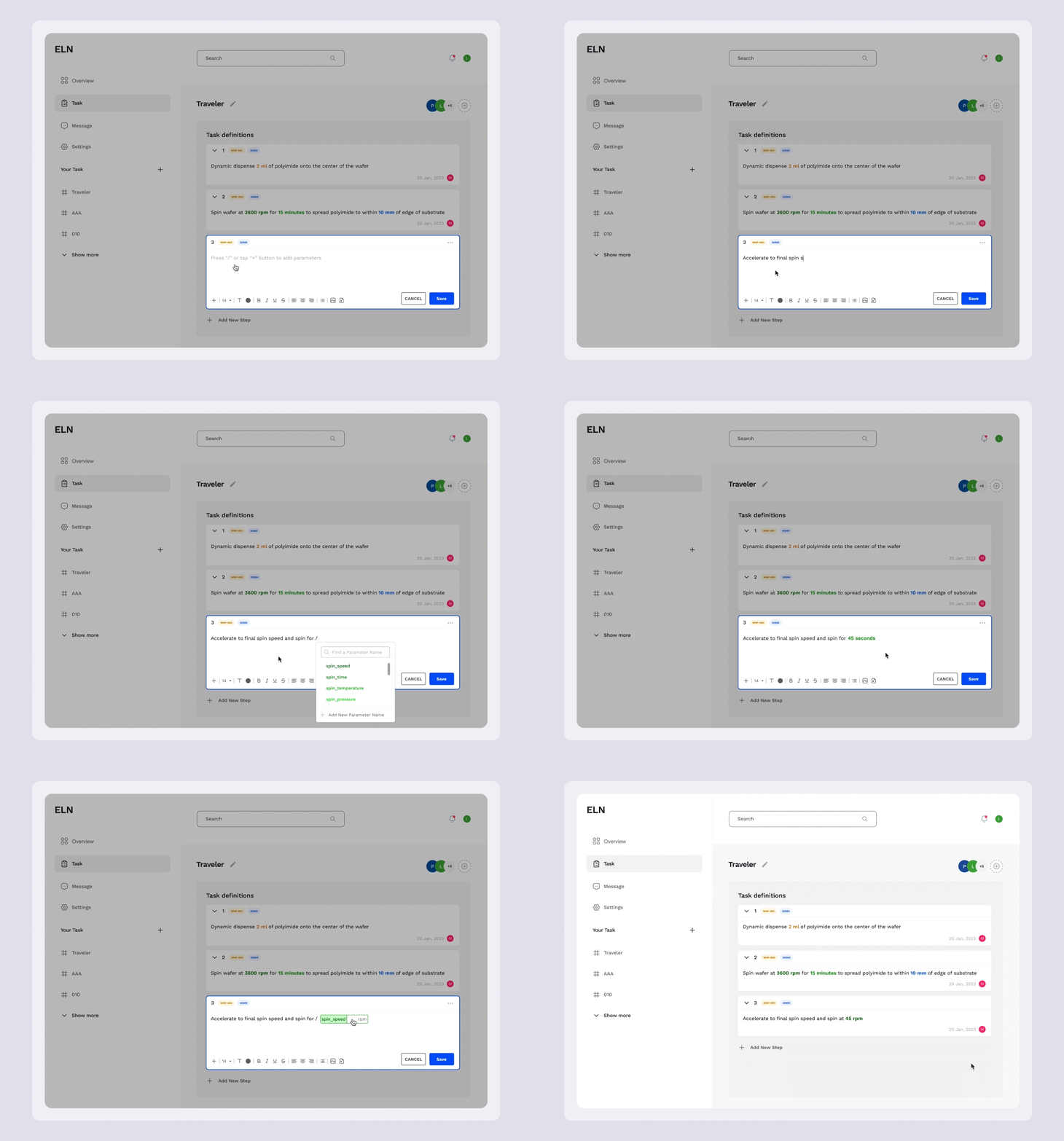
Users input parameters directly into the text area using a simple slash command or click on “+” button. Inspired by Discord, offering a quick and intuitive way to add complex data without disrupting the workflow.

Slash Commands:

Allows users to add parameters seamlessly while typing the task description.

Dynamic Dropdown:

A dynamic dropdown that activates when typing '/', offering suggestions for parameter names.

Parameter Value and Unit Input Box:

After the user selects a parameter name, the transition immediately goes to the parameter value and unit input.

Inline Editing:

Edit options are available directly on the parameter for a click
Test

A/B Testing

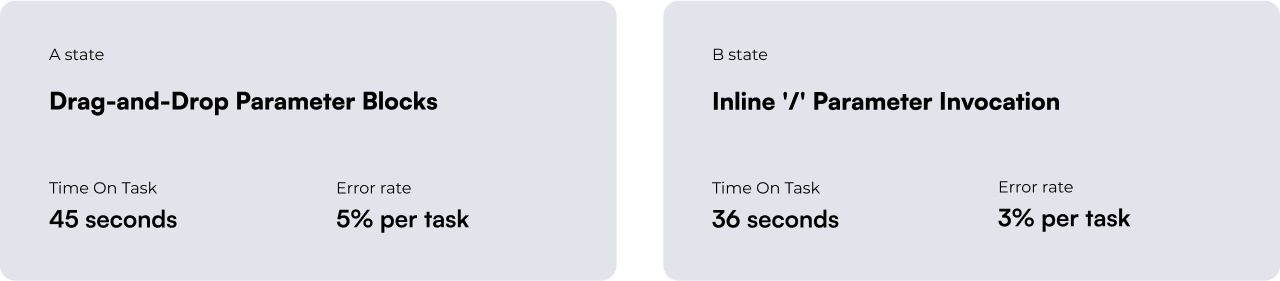
To conduct the A/B test, I analyzed data from 40 users, evenly divided between two groups, to identify the more efficient method. The "Inline '/' Parameter Invocation" group not only completed tasks faster but also with fewer errors than the "Drag-and-Drop Parameter Blocks" group, highlighting its efficiency and reduced complexity.

Iteration

Based on the A/B test results, the "Inline '/' Parameter Invocation" method is recommended for parameter input in the electronic lab notebook software. This method enhances efficiency and accuracy by allowing technicians to insert predefined parameter blocks directly into text areas using simple slash commands, streamlining data integration and reducing the learning curve. This approach minimizes disruptions, maintaining a clean and intuitive interface that improves overall task management.

However, some users reported confusion regarding how to finalize edits. To address this, it's advisable to replace the auto-save feature with a clear "exit edit mode" button. This change requires users to explicitly choose to save or cancel their changes before shifting to another task, thereby introducing a deliberate step that helps prevent unintended modifications.

Final design

In developing the final design, I prioritized simplicity and minimalism to align with the biotech startup's brand guidelines, ensuring visual coherence and enhancing user experience through a clean and intuitive interface.

Lower the Entry Barrier: Onboarding

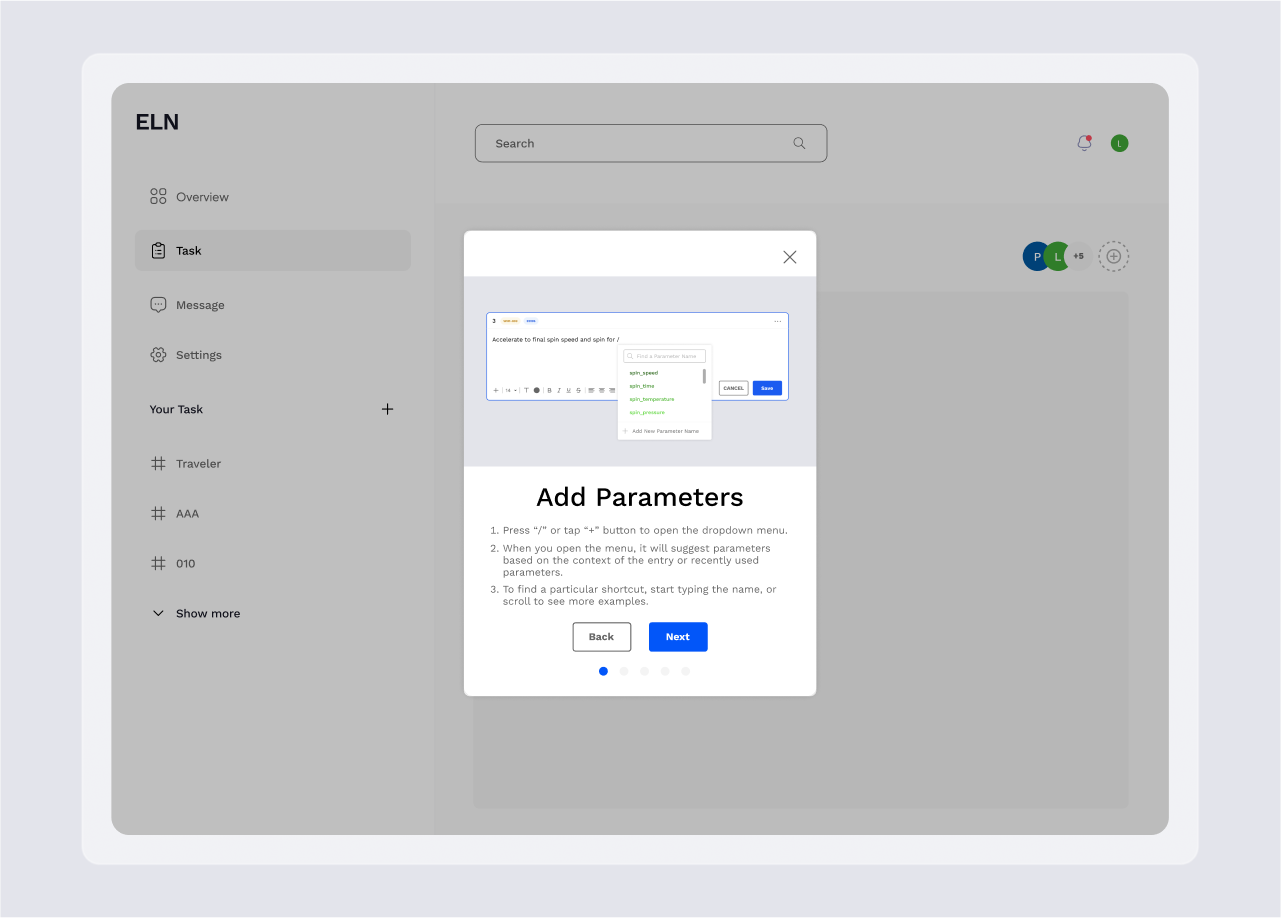
The onboarding process is tailored to help users, particularly those shifting from paper-based methods, quickly grasp the software's features. This strategic design significantly lowers the learning curve, facilitating a smoother transition. Additionally, users have the flexibility to skip steps and revisit them at their convenience.

Focused Editing Mode

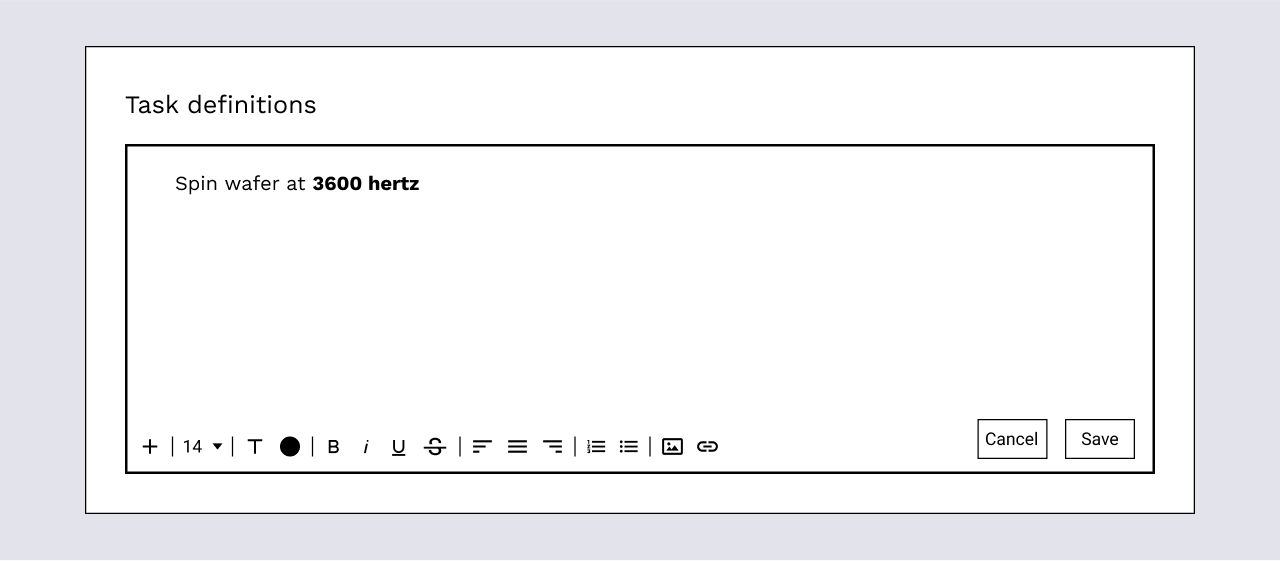
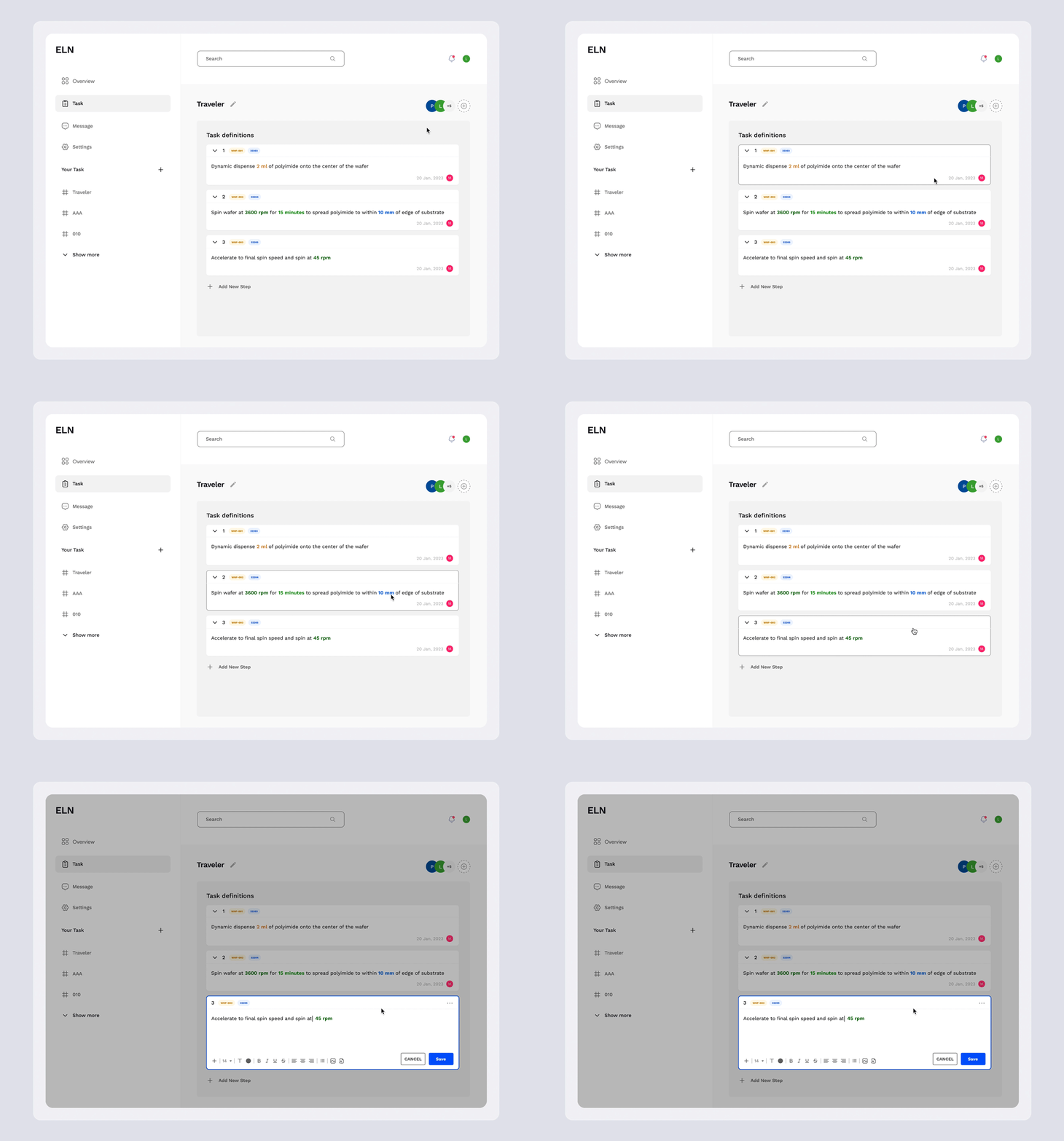
When a user clicks into the text area, it automatically highlights and slightly dims the surrounding interface. This focused design visually differentiates between existing tasks and the current editing task, allowing users to concentrate on their work without distractions.

Enhancing Usability Through Color Coding

Use color coding to distinguish between label types and parameters, simplifying visual scanning for users. Additionally, varying brightness levels differentiate parameters within the same category, improving usability and enhancing productivity.

Impact

The newly designed Electronic Lab Notebook software has successfully replaced traditional paper-based methods, significantly enhancing lab productivity and accuracy. Key success metrics include a 25% reduction in data entry errors. Client feedback has been overwhelmingly positive, highlighting the improved workflow and ease of use, which confirms the software's effectiveness in fulfilling the biotech startup's operational requirements.